
How to Install Flow - Bhop on a Garry's Mod Server
Flow - Bhop is a popular Garry's Mod gamemode focused on bunny hopping, timers, and skill-based movement maps. This guide shows you how to install Flow - Bhop on your server using the HostByte Game Panel.
Step 1: Access Your Game Panel
- Go to game.hostbyte.net
- Log in to your account
- Select your Garry's Mod server
- Click Manage
Step 2: Install Flow - Bhop Using Mod Manager
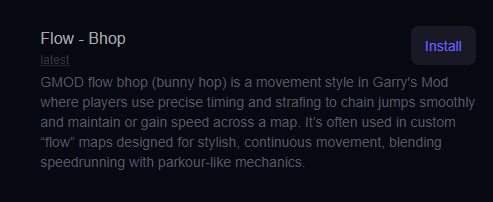
The easiest way to install Flow - Bhop is using the built-in Mod Manager.
- Go to Tools → Mod Manager
- Find Flow - Bhop in the list
- Click Install
- Wait for the installation to complete
Tip: The Mod Manager handles installation automatically, including required files.
Step 3: Set Flow - Bhop as Your Gamemode
- Go to Startup settings
- Locate the Gamemode option
- Set it to:
flow- Save your changes
- Restart your server
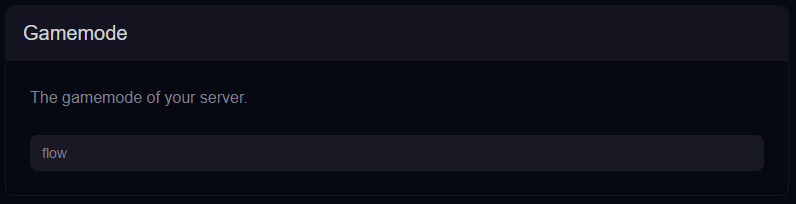
Note: The gamemode name must match the installed gamemode.
Step 4: Install Bhop Maps
Flow - Bhop requires compatible maps to function properly.
- Install Bhop maps via Workshop collections
- Upload maps manually using the File Manager
- Ensure maps start with bhop_
Step 5: Join Your Server
- Go to Server Details in your panel
- Copy your IP Address and Port
- Open Garry's Mod
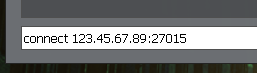
- Press The ~ (tilde) key to open the console
- Type the following command:
connect 123.45.67.89:27015 - Press Enter to connect
⚠️ Common Issues
Gamemode Not Loading
- Ensure flow is set correctly in Startup
- Restart the server after changes
- Check console for errors
Maps Not Working
- Ensure maps are compatible with Bhop
- Check map names start with bhop_
- Install missing maps if needed
Players Missing Content
- Install required maps and addons
- Use Workshop collections for automatic downloads
Next Steps
- Install additional Bhop maps
- Configure timers and rankings
- Set up admin permissions
- Customize your server experience
Getting Help
- Knowledge Base: Explore more guides for configuration, setup, and troubleshooting.
- Support Ticket: Open a ticket from your HostByte account if you need assistance.
- Discord: Join our community below.
- Status Page: Check live updates at status.hostbyte.net.