
How to Install Lite Hide and Seek on a Garry's Mod Server
Lite Hide and Seek is a fun Garry's Mod gamemode where players hide as props while others try to find them. This guide shows you how to install Lite Hide and Seek on your server using the HostByte Game Panel.
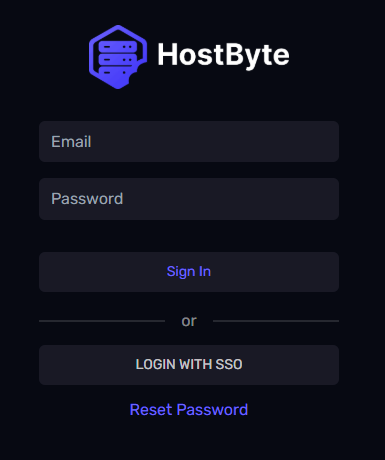
Step 1: Access Your Game Panel
- Go to game.hostbyte.net
- Log in to your account
- Select your Garry's Mod server
- Click Manage
Step 2: Install Lite Hide and Seek Using Mod Manager
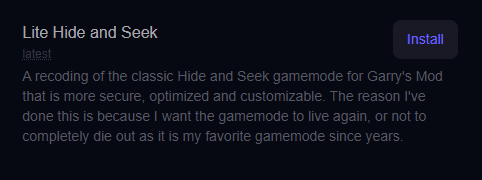
The easiest way to install Lite Hide and Seek is using the built-in Mod Manager.
- Go to Tools → Mod Manager
- Find Lite Hide and Seek in the list
- Click Install
- Wait for the installation to complete
Tip: The Mod Manager handles installation automatically, including required files.
Step 3: Set Lite Hide and Seek as Your Gamemode
- Go to Startup settings
- Locate the Gamemode option
- Set it to:
hideandseek- Save your changes
- Restart your server
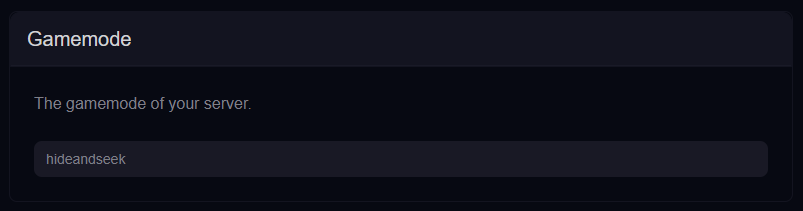
Note: The gamemode name must match the installed gamemode.
Step 4: Choose a Suitable Map
Hide and Seek works best on maps with plenty of props and hiding spots.
- Use maps with detailed environments
- Avoid empty or flat maps
- Install maps via Workshop or upload manually
Step 5: Join Your Server
- Go to Server Details in your panel
- Copy your IP Address and Port
- Open Garry's Mod
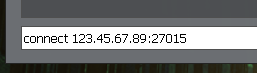
- Press The ~ (tilde) key to open the console
- Type the following command:
connect 123.45.67.89:27015 - Press Enter to connect
⚠️ Common Issues
Gamemode Not Loading
- Ensure hideandseek is set correctly in Startup
- Restart the server after changes
- Check console for errors
Players Missing Props or Textures
- Install required content using the Mod Manager
- Some maps may require additional game content
Gameplay Not Working Properly
- Ensure the correct map is loaded
- Restart the server after installing the gamemode
Next Steps
- Install additional maps
- Customize game settings
- Set up admin permissions
- Enhance gameplay with addons
Getting Help
- Knowledge Base: Explore more guides for configuration, setup, and troubleshooting.
- Support Ticket: Open a ticket from your HostByte account if you need assistance.
- Discord: Join our community below.
- Status Page: Check live updates at status.hostbyte.net.