
This guide shows you how to change the maximum player slots on a Minecraft Java server using the HostByte Game Panel. You’ll edit server.properties to set max-players and then restart the server.
Before You Start
- Performance note: Increasing slots doesn’t increase performance. More players require more CPU/RAM and good timings.
- Back up recent configs (optional but recommended).
Step 1: Stop Your Server
- Log in to the HostByte Game Panel.
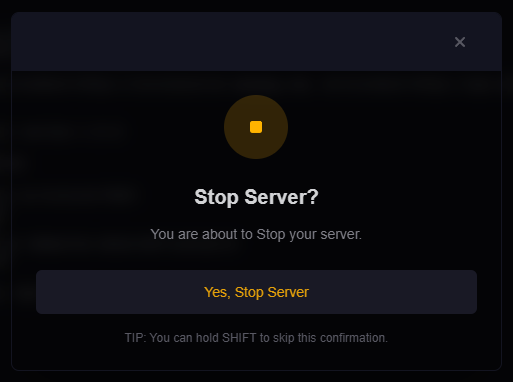
- Open your Java server and click Stop until status is Offline.
Step 2: Edit server.properties
- Go to File Manager.
- Open
server.properties. - Find (or add) the line for
max-playersand set your desired number, for example:max-players=40 - Click Save.

Step 3: Start the Server
- Return to the server dashboard and click Start.
- Watch the Console for any startup errors.
Optional Settings & Notes
- Whitelist/Allowlist: If enabled, players must be on the whitelist even if slots are available.
- Proxies (BungeeCord/Velocity): The proxy may also cap players. Ensure the proxy’s player limit ≥ your backend server’s
max-players. - Reserved slots: Use a permissions plugin (e.g., LuckPerms) with a “reserved slots” plugin if you want VIP/admin access when full.
- Server list display: The number shown in the multiplayer list is derived from
max-playersunless a proxy/plugin customizes it.
Common Issues & Fixes
Players still can’t join after increasing slots
- Confirm you restarted after editing
server.properties. - Check whitelist and bans.
- Verify proxy limits if using BungeeCord/Velocity.
- Review performance (TPS). If TPS is low, consider lowering view-distance/simulation-distance or upgrading plan resources.
File saves but no change
- Ensure you edited the correct
server.propertiesfile for this server. - Make sure there isn’t another instance overwriting configs on start (startup scripts, panel templates).
Best Practices
- Scale slots gradually (e.g., +10 at a time) and monitor TPS with timings/spark.
- Plan capacity around peak hours and plugin load (claims, minigames, farms).
- Document slot changes in your staff notes/changelog.
Getting Help
- Knowledge Base: See related Java guides (whitelist, performance tuning).
- Support Ticket: Log in to your HostByte account to open a ticket.
- Discord: Join our community:
- Status Page: Check maintenance/outages: status.hostbyte.net.